DESIGN PLATFORM REVIEW
Canva review: is Free enough, or should you upgrade?
Canva is a practical starting point for social posts, presentations, and everyday marketing graphics. Our recommendation: begin with Free, then consider Pro when you repeatedly need premium assets, background removal, or several sizes of the same design. This review explains the trade-offs and gives you a concrete checklist before paying.
By Smart Tool Reviews · Updated October 9, 2026 · Research-based review
THE SHORT ANSWER
Is Canva worth using?
Yes—for non-designers who need professional-looking content quickly. Canva puts templates, stock media, simple editing, collaboration, presentations, video, documents, and website creation in one browser-based workspace. It is less suitable for advanced photo manipulation, precise vector work, complex page layout, or projects that demand full control over production files.
Who Canva is best for
Content creators
Produce social graphics, thumbnails, pins, short videos, and reusable content templates.
Small businesses
Create menus, flyers, ads, presentations, and simple branded marketing without a design department.
Small teams
Share designs, collect feedback, and keep frequently used brand assets in one workspace.
Beginners
Start from a template and customize it without learning a professional design suite first.
What you can create with Canva
Canva now covers much more than static social graphics. Its Visual Suite includes presentations, video, photo editing, documents, whiteboards, websites, email designs, and other content formats. This breadth is its main advantage: one familiar editor can handle many everyday jobs.
- Social posts, Pinterest pins, banners, and YouTube thumbnails
- Presentations, documents, whiteboards, and simple websites
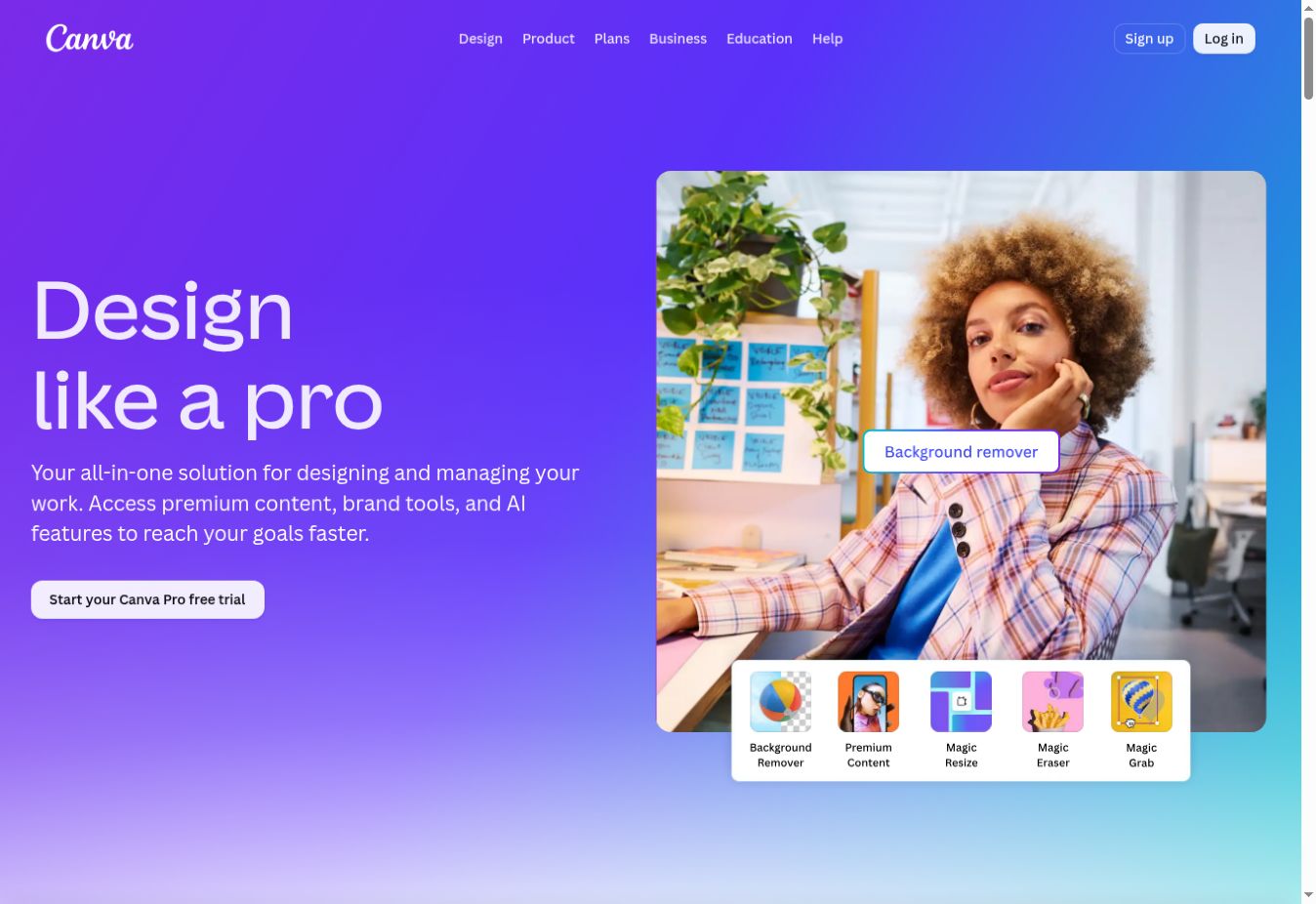
- Short-form video, basic photo editing, and background removal
- Printable flyers, invitations, menus, and marketing materials
- AI-assisted writing and design tools, subject to plan limits
Canva Free vs Pro vs Business: which plan fits?
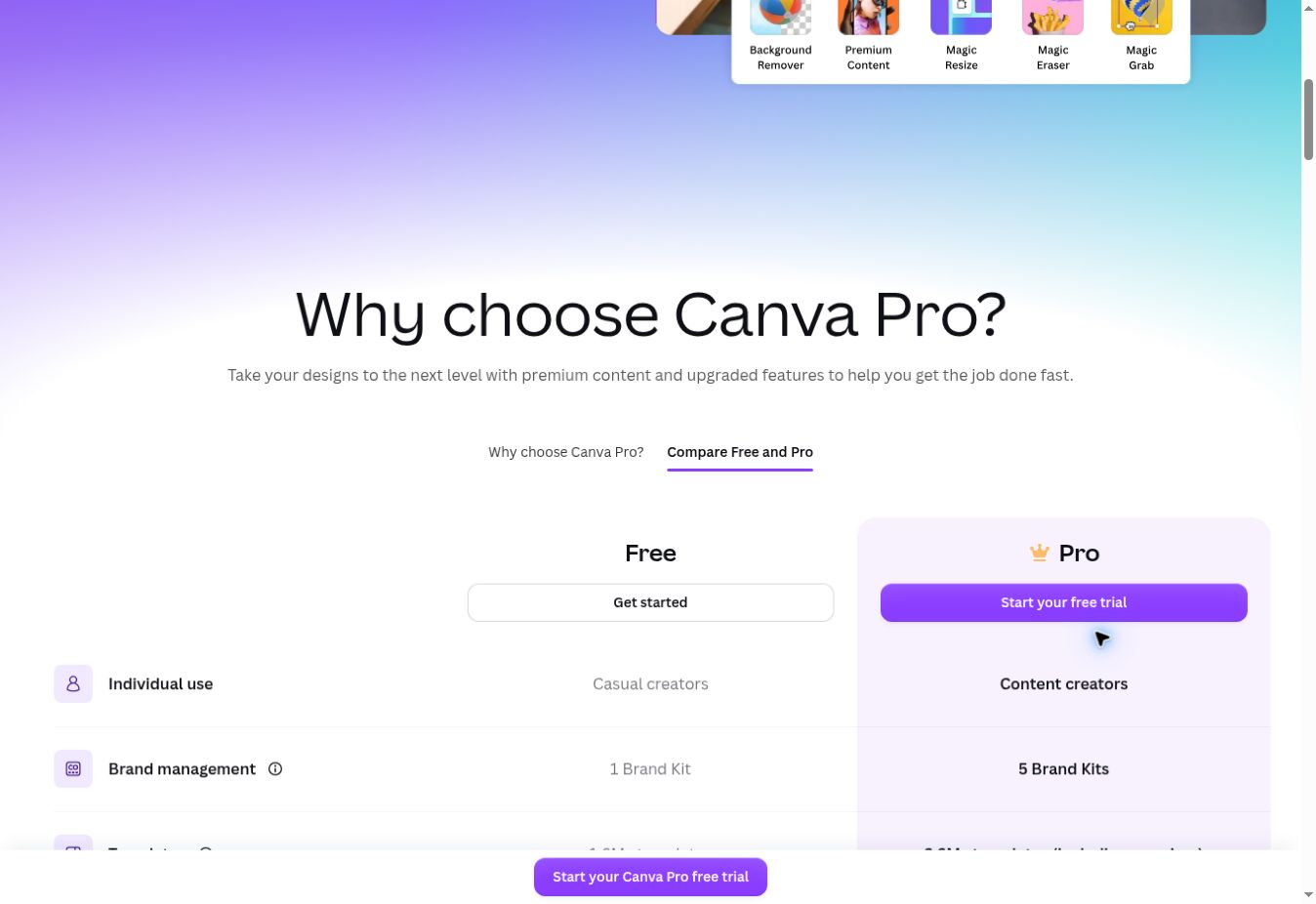
| Plan | Best starting point for | Main difference |
|---|---|---|
| Free | Occasional graphics and trying the editor | Free templates and media; premium content and advanced tools are restricted. |
| Pro | A solo creator with recurring design tasks | Premium assets, expanded brand tools, resizing, background removal, and more AI access. |
| Business | Individuals or teams needing more brand and collaboration controls | Builds on Pro with additional brand management, team administration, and AI capacity. |
| Enterprise | An organization with procurement and governance needs | Evaluate organization-wide controls and obtain a tailored offer. |
Free is the sensible baseline if you only publish occasionally. Pro is worth considering when the same paid feature removes a repeated task. Business is a separate decision: a solo creator should first establish which additional controls or capacity they actually need.
Prices depend on location, billing term, seats, taxes, and current offers. Compare monthly and annual checkout totals on Canva’s official pricing page. An annual price divided by 12 is not necessarily the monthly subscription price.
Features that matter in everyday work
Templates: a starting layout, not a finished identity
A template gives you a visual starting point. Replace the headline, photos, colors, and spacing to suit your message. For a thumbnail or pin, evaluate it at a small size: a design can look attractive in the editor while its main message is difficult to read in a feed.
Brand Kit: useful when repetition becomes the problem
Canva’s Brand Kit documentation describes keeping logos, colors, fonts, and brand guidance together. The practical question is whether you repeatedly search for these assets or correct inconsistent designs. Occasional users may not gain enough from an upgrade for this feature alone.
Background removal and resizing
Canva lists background removal, transparent downloads, and Resize & Magic Switch among its Pro tools. Inspect cutout edges around hair, glass, or detailed products. After changing a design’s size, review the placement of text and images; a different aspect ratio still needs an editorial check.
AI tools: assess usable output
Access and allowances depend on the plan and tool. Verify the current restrictions before subscribing for one specific AI feature. A useful evaluation is whether a generated design matches your brief after corrections, rather than how many outputs the subscription can produce. Review text, factual claims, and brand details before publishing.
STRENGTHS
What Canva does well
- A beginner can produce a usable design quickly
- Large template and content ecosystem
- Many formats inside one consistent editor
- Useful collaboration and sharing workflow
- Free plan is enough to evaluate the platform properly
LIMITATIONS
Where Canva falls short
- Premium templates and assets can create upgrade pressure
- Advanced editing control is below specialist software
- Popular templates may make designs feel less distinctive
- AI tools and premium features can have usage limits
- Licensing still needs attention for logos, merchandise, and resale
Three practical ways to evaluate Canva
Choosing between creator tools? Read our Canva vs Adobe Express comparison for social media creators.
For recurring social posts, learn how to create reusable social media templates in Canva and keep an original layout separate from each post copy.
Ready to download a finished design? Our Canva export settings guide compares PNG, JPG, PDF Standard, and PDF Print.
Designing for your channel? Follow our tutorial on creating YouTube thumbnails in Canva.
Unexpected payment prompt? Follow our guide to avoiding paid elements in Canva Free.
For a focused walkthrough, read how to create Pinterest Pins in Canva.
Use your own images and copy for these tasks. These are evaluation examples, not results from a test conducted by Smart Tool Reviews.
- Create a recipe pin. Start with a vertical layout, add your food photo, and use one clear recipe title. Check that the title remains readable on a phone and that every selected asset is available on your plan. Export and inspect the downloaded file.
- Build a small campaign. Make one social post, then adapt it to a story and a website banner. Record which changes you repeat manually. This shows whether paid resizing or saved brand assets would solve a recurring problem.
- Prepare a printable flyer. Use the intended page size and ask the printer about its required file format, bleed, and image requirements. Check the exported PDF for small text and image quality before ordering copies.
For each task, note completion time, paid-feature prompts, manual corrections, and whether the final file meets its destination’s requirements. Compare those notes with your actual publishing volume.
Is Canva Pro worth the cost?
Upgrade when you can name the repeated task it improves. If you mostly add text to your own photos, Free may be enough. If you regularly need cutouts, premium assets, or multiple versions of a campaign, a paid plan is easier to justify.
A simple value check: monthly time saved × the value you assign to an hour of your time. For example, an estimated two hours saved at $10 per hour gives a $20 monthly value. This is an illustrative calculation, not a measured Canva result; compare it with your local subscription total.
- Check the trial’s end date, renewal amount, and cancellation terms before starting.
- Compare the full annual commitment with how often you will use the tool.
- Choose Business only if its additional features address a specific need.
For a focused upgrade decision, see our Canva Free vs Pro comparison.
Can you use Canva for commercial projects?
Canva allows many commercial uses of designs that include licensed content, subject to its terms. A subscription does not grant exclusive ownership of library assets. Check the licensing overview and Content License Agreement for your intended product.
- Logos: Canva says library content generally cannot be part of a trademark, with exceptions for fonts, simple shapes, and lines.
- Products for sale: an original combined design has different rules from reselling a standalone stock asset. Template products have additional conditions.
- Education accounts: Pro content supplied through Canva for Education is for educational, non-commercial use.
- Music: music categories have different permissions; do not assume every track is cleared for advertising.
For digital or printed products, read Canva’s products-for-sale guidance before selecting assets.
When to choose an alternative
Choose a specialist tool when you need detailed photo compositing, professional vector illustration, complex print production, advanced motion graphics, or ownership of highly editable source files. Adobe Express is a close beginner-friendly alternative; Adobe Photoshop, Illustrator, Affinity, or Figma may fit better when precision and deeper control matter more than template speed.
COMMON QUESTIONS
Canva FAQ
Is Canva Free really free?
Yes. You can create and export many designs without paying. Some templates, stock assets, storage, brand features, and advanced tools require a paid plan.
Do beginners need Canva Pro?
Usually not at first. Begin with the free plan, then upgrade when premium assets or time-saving features solve a repeated problem in your workflow.
Can Canva replace a professional designer?
It can cover many routine content tasks, but strategy, original identity design, complex production, and high-end creative work still benefit from a skilled designer.
Can I use Canva designs commercially?
Many uses are allowed, but the rules depend on the content and the final product. Check Canva’s current content license for your exact use case.
FINAL VERDICT
Start free, then pay for saved time
Canva is an excellent first design platform for creators, teachers, solo businesses, and small teams. Start with Canva Free. Consider a paid plan only when premium assets, brand tools, background removal, resizing, collaboration, or AI features repeatedly save enough time to justify the cost.
Published September 13, 2026 · Updated October 9, 2026 · Comparison and tutorial links updated October 9; review sources checked October 3. Features and plan limits can change. Read how Smart Tool Reviews evaluates services.
Sources and review scope
Checked October 3, 2026. These primary sources support the plan and licensing descriptions; our recommendations and evaluation examples are editorial analysis.
- Canva plans and pricing
- Brand Kit and Pro feature overview
- Licensing explained
- Content License Agreement
- Using Canva for products you sell
See our editorial policy and corrections policy for how we handle evidence and updates.