DESIGN PLAN COMPARISON
Canva Free vs Pro: is Canva Pro worth it?
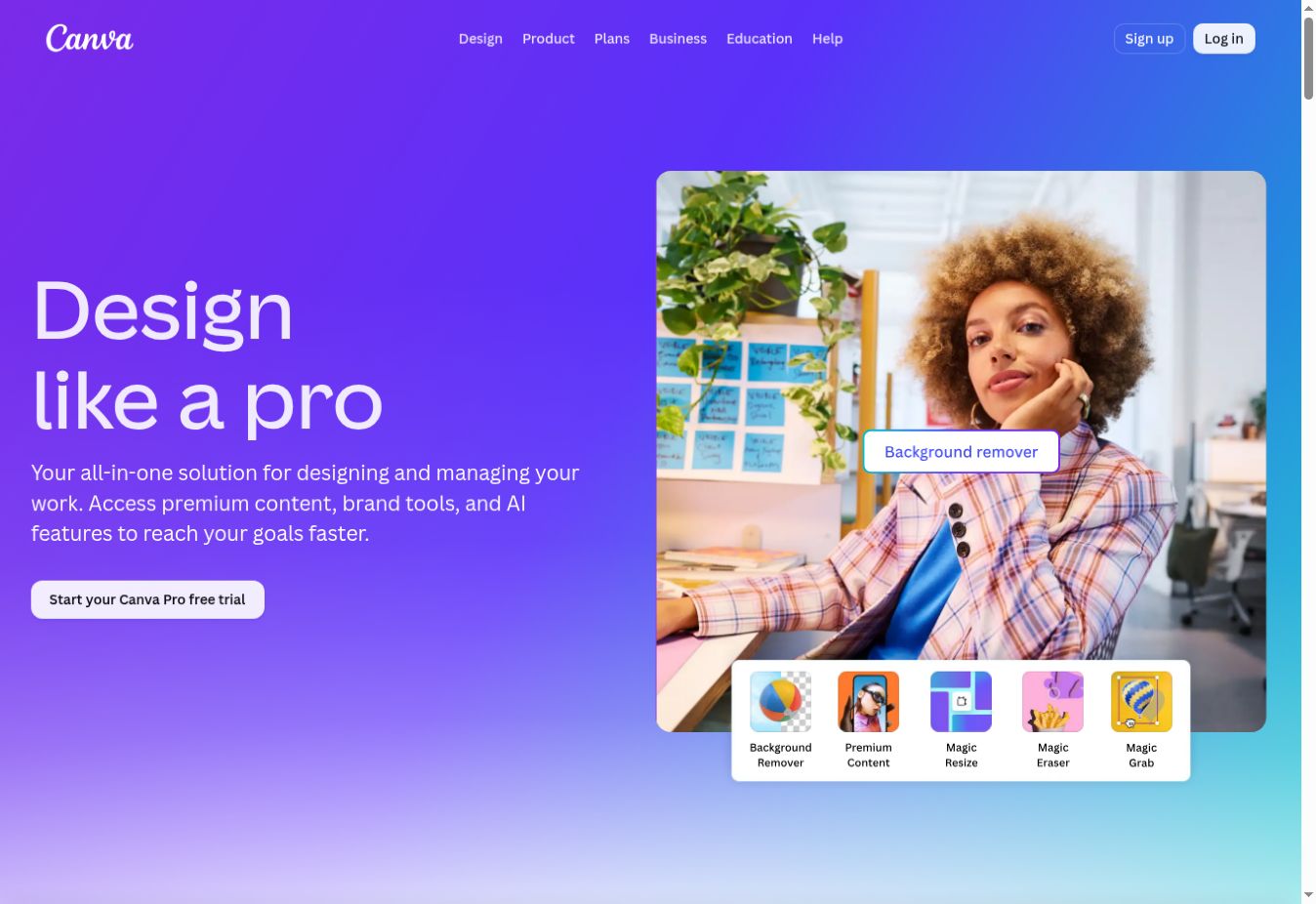
Canva Free is enough for beginners and occasional design. Canva Pro becomes worth paying for when you create content every week and repeatedly use premium assets, background removal, resizing, brand tools, scheduling, or higher AI allowances. The right test is simple: does Pro save more time than it costs?
Canva Free vs Pro at a glance
Canva changes features, limits, plan names, and regional prices. Verify the current pricing page before subscribing.
What can you do with Canva Free?
Canva Free is not merely a short demo. It includes the drag-and-drop editor, many design formats, a large collection of templates and stock content, basic collaboration, common exports, and limited access to AI features. You can create social posts, presentations, flyers, documents, short videos, thumbnails, pins, and simple websites without paying.
For a new creator, this is the best place to start. It lets you learn the editor, build a workflow, and discover which limitations actually affect your work. Paying before you know which features you need often creates an unnecessary subscription.
What does Canva Pro add?
Canva Pro is designed for an individual who creates frequently. Its value comes from a larger premium content library and tools that remove repetitive work. Pro includes more templates and stock media, more cloud storage, additional Brand Kits, social scheduling, and broader access to editing and AI features.
- Premium templates, photos, videos, graphics, fonts, and audio
- Background removal for faster product and profile graphics
- Magic Resize to adapt one design for multiple platforms
- More Brand Kits for consistent logos, colours, and fonts
- Social content scheduling and more cloud storage
- Higher access to Canva AI tools, subject to allowances and fair use
Templates and premium content
The free library is already broad enough for many projects. Pro matters when you frequently find the ideal template, photo, video, graphic, or audio track behind a premium badge. The larger library can reduce the time spent searching elsewhere and importing assets.
However, premium access does not automatically make a design original. Popular templates can still produce familiar-looking content. Strong results require thoughtful typography, spacing, colours, imagery, and adaptation to your audience.
Brand Kit: useful when consistency becomes work
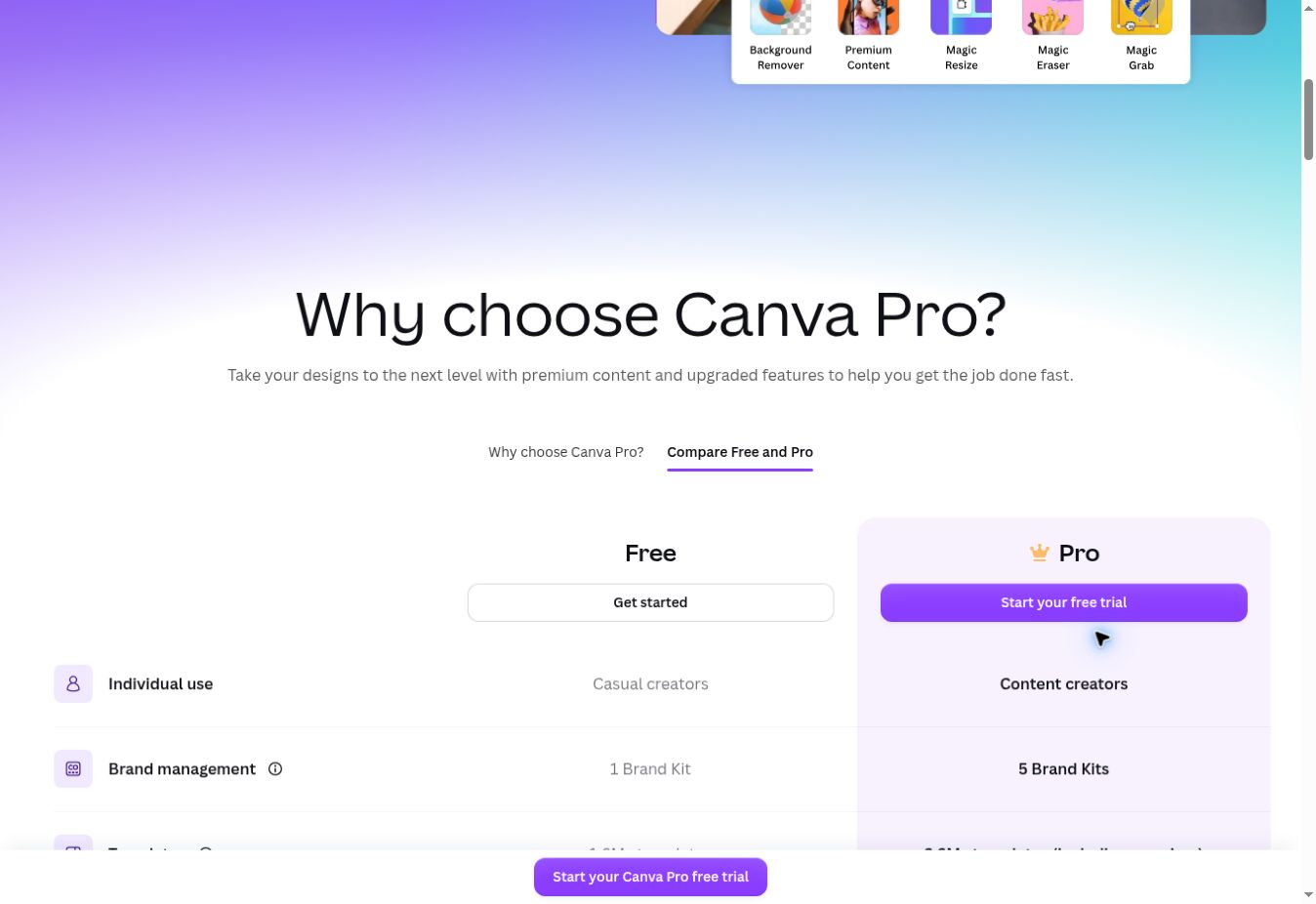
A Brand Kit stores visual identity elements so you do not repeatedly search for the correct colour, font, or logo. Canva’s current plan page lists a limited Brand Kit on Free and more Brand Kits on Pro. This difference matters most to freelancers with several brands, creators operating multiple projects, or a business publishing across many formats.
If you create one or two personal graphics a month, manually selecting colours is not a serious cost. If you create content daily, brand tools can prevent mistakes and save meaningful time.
Background Remover and Magic Resize
These are two of the clearest reasons to upgrade. Background Remover quickly isolates a subject for thumbnails, product graphics, profile images, and advertisements. Magic Resize adapts an existing design to different dimensions, such as turning an Instagram post into a Pinterest pin or presentation graphic.
Neither feature is essential if you rarely use it. Pro becomes valuable when these steps occur every week, because the subscription replaces repeated manual editing or separate tools.
Canva AI limits
Both plans offer AI access, but Free has a smaller shared allowance. Canva’s official pricing information states that Pro provides substantially more access to premium AI features, while advanced tools consume allowances at different rates. Actual usage therefore depends on the tool and complexity of the task—not simply the number of clicks.
Do not upgrade solely because a page says “more AI.” Identify the specific feature you will use: writing, image generation, translation, resizing, video, or another workflow. Then check its current allowance and whether it genuinely improves your output.
Storage and organisation
Canva’s current comparison lists 5 GB of cloud storage for Free and 100 GB for Pro. The free allowance is sufficient for learning and light design. Video, audio, high-resolution uploads, and a large archive can consume space quickly, making Pro more practical for a creator who keeps most work inside Canva.
CHOOSE FREE
Canva Free is enough if…
- You are learning Canva
- You create only occasionally
- Free templates and assets meet your needs
- You do not need frequent background removal or resizing
- You prefer to avoid another subscription
CHOOSE PRO
Canva Pro is worth it if…
- You publish visual content every week
- Premium assets repeatedly save search time
- You resize designs for several platforms
- You manage multiple brand identities
- Higher storage and AI access support real work
When Canva Pro is not worth it
You create rarely
A monthly subscription is difficult to justify for a few simple graphics that Free can handle.
You need specialist control
Pro does not replace advanced photo, vector, page-layout, or motion software for every professional workflow.
You only want one premium asset
Do not buy an ongoing plan for a one-time need without comparing other legitimate asset options.
You have not tested Free
Use the free plan first so your upgrade decision is based on a real limitation, not marketing.
A simple way to decide
Use Canva Free for two to four weeks and keep a small list of every time a paid feature blocks or slows you down. Estimate how many minutes each limitation costs. Upgrade only when the monthly time saved, premium content avoided elsewhere, or improved consistency is worth more than the subscription to you.
For a deeper look at the platform’s strengths, limitations, licensing, and alternatives, read our complete Canva review.
COMMON QUESTIONS
Canva Free vs Pro FAQ
Is Canva Free free forever?
Canva offers an ongoing Free plan, but features and limits can change. Premium assets and tools may require Pro, Business, or another paid option.
Can I remove backgrounds with Canva Free?
Availability may include limited trials or selected access, but regular use of the background-removal tool is a paid-plan benefit. Check the current plan comparison for your account and region.
Is Canva Pro for one person?
Canva currently positions Pro for an individual. Canva Business is aimed at individuals and teams needing more collaboration, administration, brand controls, and AI access.
Is Canva Pro worth it for social media?
It can be when you publish frequently and use premium assets, resizing, scheduling, Brand Kits, or background removal. Free remains enough for occasional posts.
Do teachers need to pay for Canva Pro?
Eligible primary and secondary educators may qualify for Canva Education. Check Canva’s current eligibility rules rather than purchasing Pro immediately.
FINAL VERDICT
Free for occasional design; Pro for repeatable speed
Canva Free is the smarter starting choice for most people. Canva Pro earns its price when content production is already a regular activity and its premium library, brand tools, resizing, background removal, storage, scheduling, or AI access consistently save time.
Published and reviewed September 13, 2026 · Source: Canva’s official pricing and feature comparison. Plan features, limits, and prices can change.